
Courses & Quizzes
The Courses & Quizzes page explains how structured course content and knowledge checks work inside Logstail Academy.
Courses help learners understand cybersecurity concepts, Logstail workflows, and practical security scenarios. Quizzes validate that learners understood the material before they continue through the course or complete a learning path.
Where to find it
Navigate to the Courses section from the Academy menu.
Navigation path
Application route
/courses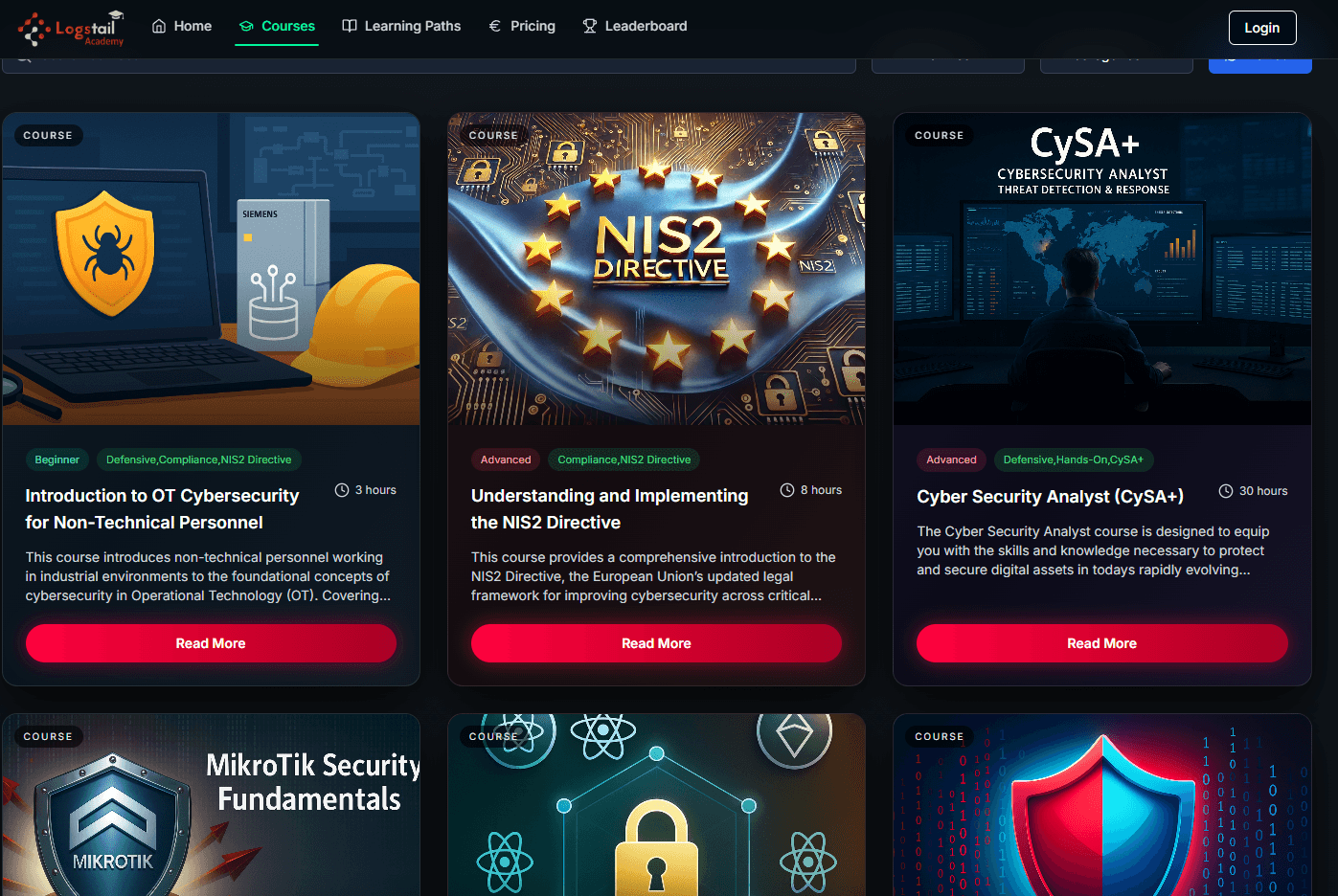
What Courses are used for
Learn structured cybersecurity topics
Courses guide learners through organized lessons, videos, readings, and practical material.
Build practical skills
Develop hands‑on cybersecurity abilities through exercises, labs, and guided workflows.
Follow Logstail workflows
Understand how to use Logstail tools step by step within real scenarios.
Review objectives & outcomes
Each course outlines what you will learn and why it matters in real‑world security work.
Validate understanding
Quizzes help confirm knowledge, reinforce concepts, and measure progress.
Complete hands‑on labs
When available, labs provide guided, practical environments to apply what you’ve learned.
Courses are designed to help users understand what they are learning, why it matters, and how the knowledge applies to real-world cybersecurity scenarios. Courses and quizzes help learners build cybersecurity knowledge in a structured way.
Courses teach the material. Quizzes validate understanding. Learning Paths connect multiple courses into a guided track, and certificates confirm successful completion.
Course Overview
Each course includes an Overview section.
The overview:
Users should read the course overview before starting the lessons. This helps set the right context before moving into the curriculum.
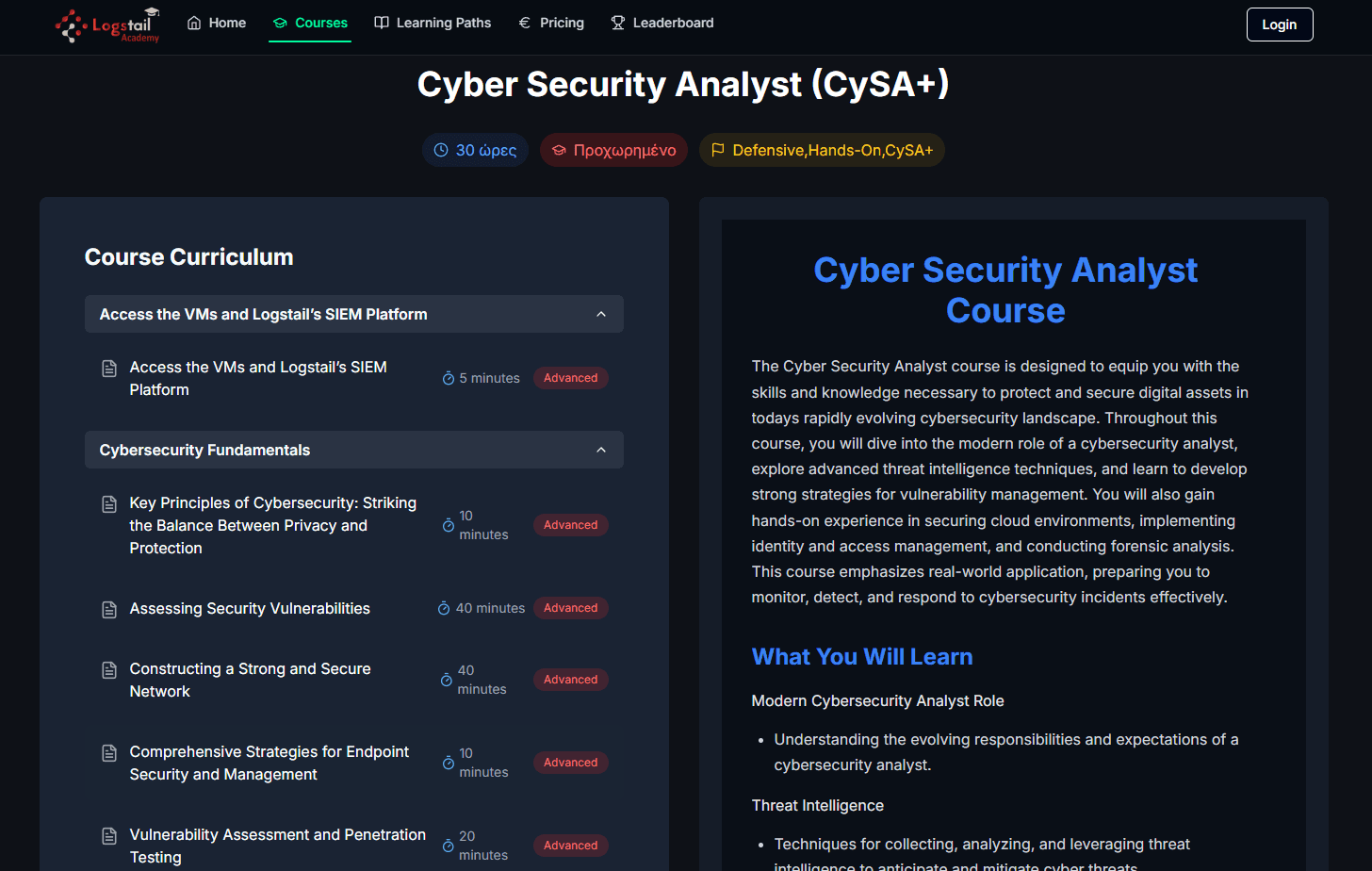
Course Curriculum
The Curriculum is the main structure of the course.
A course curriculum is divided into lessons. Each lesson is designed to build on the previous one so learners can progress step by step.
A curriculum may include:
Quizzes
Quizzes are used to test understanding after course lessons.
After completing a lesson, users are typically given a quiz to confirm that they understood the material. Users must pass all required quizzes to complete a course.
Quizzes are connected to:
How to Complete a Course
To complete a course:
A course is only considered complete when all required learning and quiz requirements are finished.
Course Progress
As users move through Academy courses, they can track their completion status.
Progress tracking helps users:
Certificates
Certificate requirement
Certificates are awarded after completing the required courses and quizzes in a Learning Path, not just by opening an individual course.
When a user successfully completes a Learning Path, they receive a Learning Path Certificate.
This certificate confirms that the user completed the required courses and passed the required quizzes for that path.
Users can view and download certificates from the My Profile tab.
My Profile and Certificate Downloads
The My Profile area allows users to view completed certificates and download them when available.
If additional guidance is needed, the My Profile tab includes a navigation tutorial in the top-right area.
Troubleshooting
Course progress does not update
- 1
Refresh the page and confirm that the lesson or quiz was fully completed.
- 2
Check whether there are remaining lessons, quizzes, or practical tasks in the course.
- 3
Reopen the course curriculum and confirm the completed item is marked correctly.
Quiz is not marked as passed
- 1
Confirm that the quiz was submitted successfully.
- 2
Check whether the passing score was reached.
- 3
Review the related lesson material and retake the quiz if allowed.
Certificate is not available
- 1
Verify that all required courses and quizzes in the Learning Path are complete.
- 2
Confirm that the certificate belongs to the Learning Path, not only an individual course.
- 3
Open My Profile and refresh the certificate area.
Hands-on instructions are missing
- 1
Confirm the selected course includes hands-on practice.
- 2
Check the end of the course or lesson for lab instructions.
Best Practices
Read the course overview first
Understand the course goals and structure before starting.
Complete lessons in order
Follow the intended learning sequence for best results.
Take quizzes after reviewing lessons
Validate your understanding at the right time.
Revisit lessons if quizzes are not passed
Review the material again to reinforce learning.
Follow all practical instructions
Complete hands-on steps exactly as described.
Use only provided lab credentials
Ensure correct access to virtual machines and lab systems.
Track course progress regularly
Monitor your completion status as you advance.
Download certificates after completion
Save your Learning Path certificates once available.
Related Pages
Related Pages
| Topic | Description |
|---|---|
| Learning Paths | After enrolling in a Learning Path, users can access all included courses. Completing the path requires finishing every required course. |
| Hands-On Practice | Provides access to lab environments and guidance for completing practical exercises in a controlled virtual machine setup. |