
Learning Paths
The Learning Paths page enables users to follow structured training journeys within Logstail Academy. These paths organize related lessons, courses, quizzes, and hands-on activities into guided tracks, allowing users to progressively build cybersecurity knowledge and practical skills.
Where to find it
Navigate to the Learning Paths section from the Academy menu.
Navigation path
Application route
/learning-paths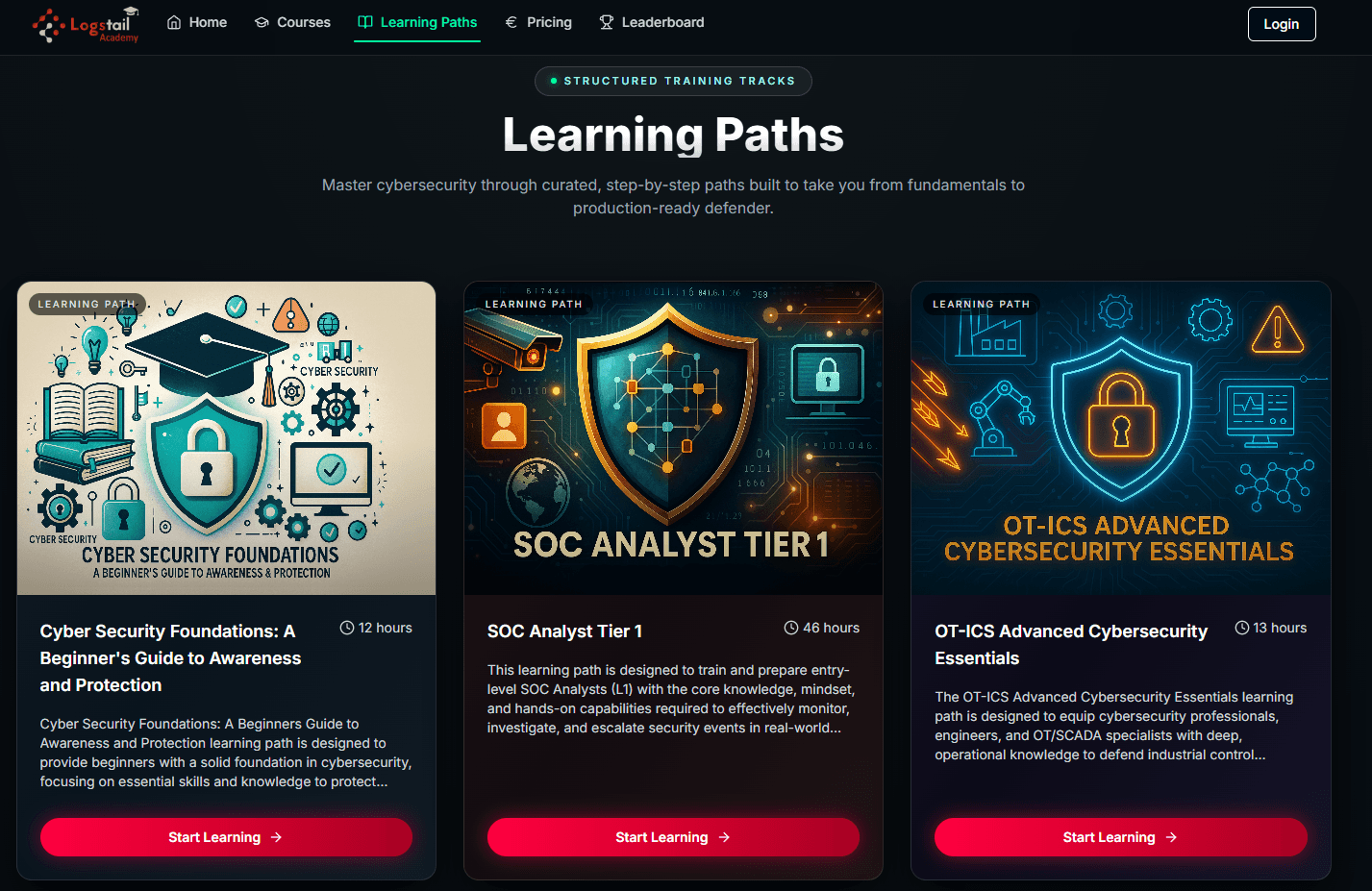
What Learning Paths Are Used For
Learning Paths help users:
How Learning Paths work
Learning paths group related Academy content into a guided training sequence.
Structured course sequence
Each path contains a list of courses designed to build skills in order.
Direct enrollment
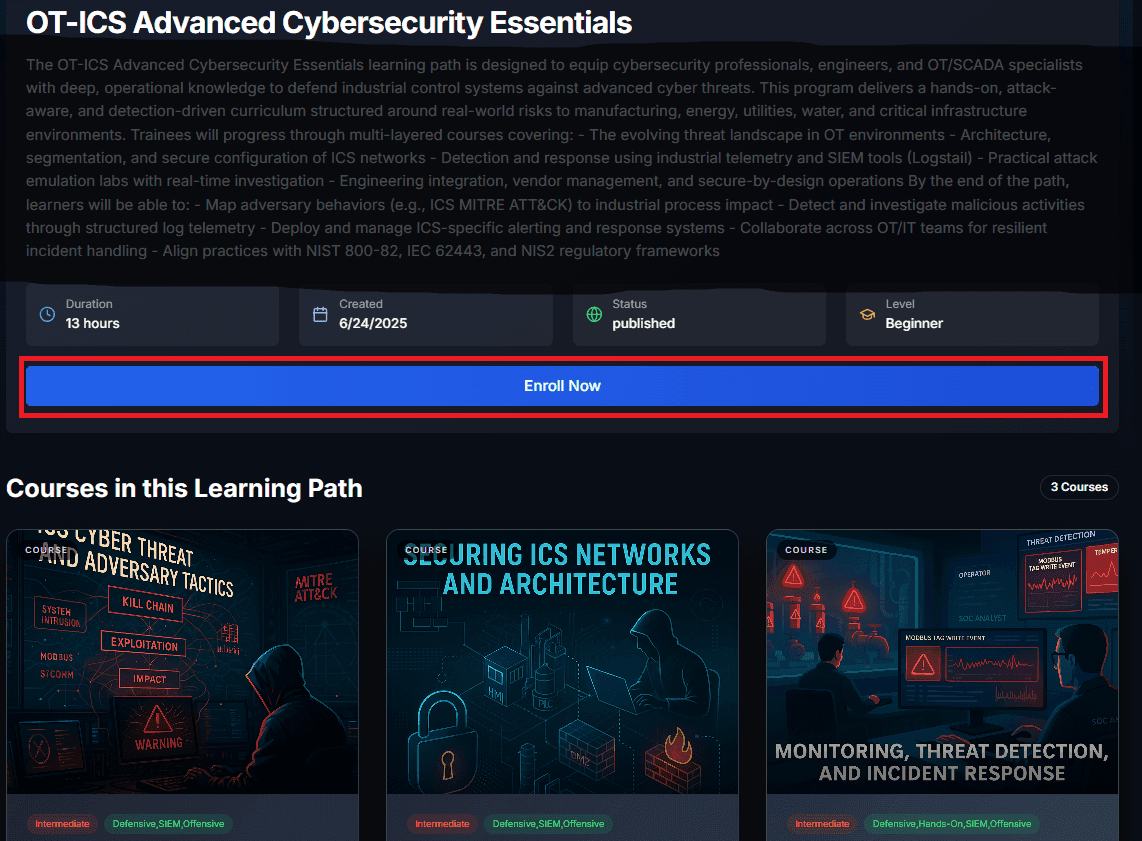
Users can enroll directly from the learning path page using the Enroll now button.
Progress tracking
Progress updates as users complete courses, quizzes, and required activities.
Course access
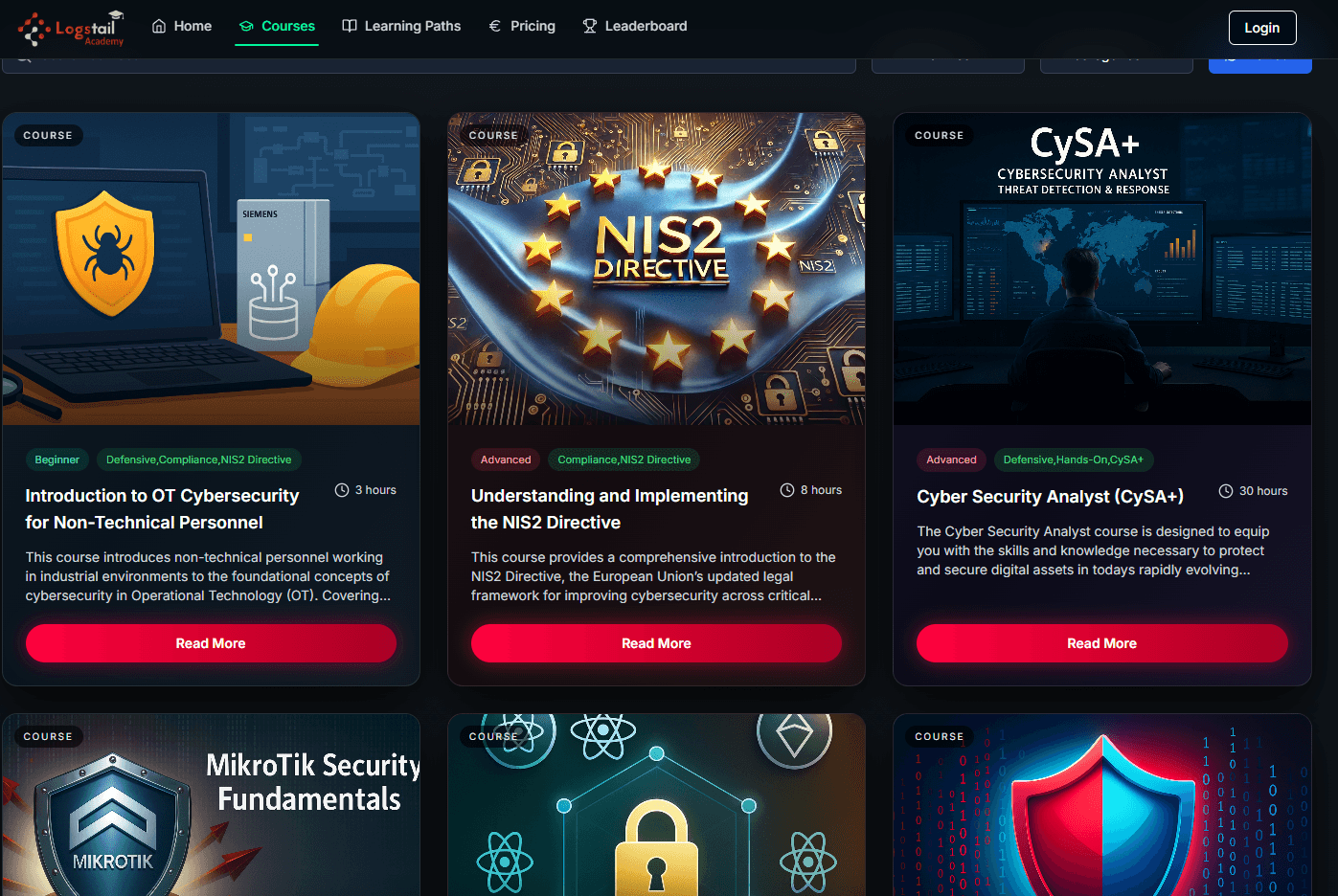
After enrollment, the courses included in the path become available.
Hands-on practice
Some paths include practical exercises or virtual machine labs.
Completion outcome
Users complete the path by finishing the required courses and assessments.
Enroll in a Learning Path
To enroll to a learning path make sure to press the Enroll Now Button:
What happens after Enrollment
Once enrolled, all courses within the selected path become available:
Progress tracking
Learning path progress depends on completing the required courses, quizzes, and activities included in the path.
Learning Path Content
Learning paths include:
Key Interface Elements
The page includes:
Learning path details
| Topic | Description |
|---|---|
| Example Learning Path | A path such as SOC Analyst Tier 1 provides structured training for monitoring and investigation workflows. |
| Progress Tracking | Users can track completed and remaining content throughout their learning journey. |
| Access & Permissions | Access to Academy content depends on user roles. |
Troubleshooting
A learning path is missing
- 1
Confirm you are signed in to the correct Academy account.
- 2
Check whether the path is available for your role or access level.
- 3
Refresh the page and review available paths again.
Progress is not updating
- 1
Refresh the page after completing a course or quiz.
- 2
Confirm all required activities inside the course are complete.
- 3
Check whether quizzes or labs still need completion.
Courses are not available after enrollment
- 1
Confirm enrollment was completed successfully.
- 2
Refresh the learning path page.
- 3
Open the path again and check the included course list.
Best Practices
Follow course order
Complete courses in the recommended sequence for the smoothest learning experience.
Review objectives first
Read the path and course objectives before starting lessons or labs.
Complete quizzes
Use quizzes to validate understanding before moving forward.
Use hands-on practice
Combine theory with labs to build practical cybersecurity skills.
Track progress
Monitor completion status so you know what still needs to be finished.
Use paths for onboarding
Use learning paths to guide new users or teams through structured training.
Related pages
Related Pages
| Topic | Description |
|---|---|
| Courses & Quizzes | After enrolling in a Learning Path, users can access all included courses. Completing the path requires finishing every required course. |
| Hands-On Practice | Provides access to lab environments and guidance for completing practical exercises in a controlled virtual machine setup. |