
SOAR Integrations
The SOAR Integrations page is the control center for connecting Logstail with external security tools and services.
Integrations allow analysts to execute actions directly from Logstail, reducing the need to switch tools. Every action is tracked, creating a full audit trail of execution, including user, credential, runner, and result.
Where to find it
Open the main navigation menu and go to:
Navigation path
Application route
/integrationsWhat this page is used for
Use the Integrations page to manage automation and external tool connectivity.
Connect tools
Integrate external security platforms.
Manage credentials
Store and update authentication profiles.
Run actions
Execute response or enrichment actions.
Track executions
Review job history and outcomes.
Automate workflows
Prepare integrations for playbooks.
Troubleshoot issues
Debug failed integration jobs.
Page Overview
The Integrations page provides a centralized view of connectors, credentials, and execution history.
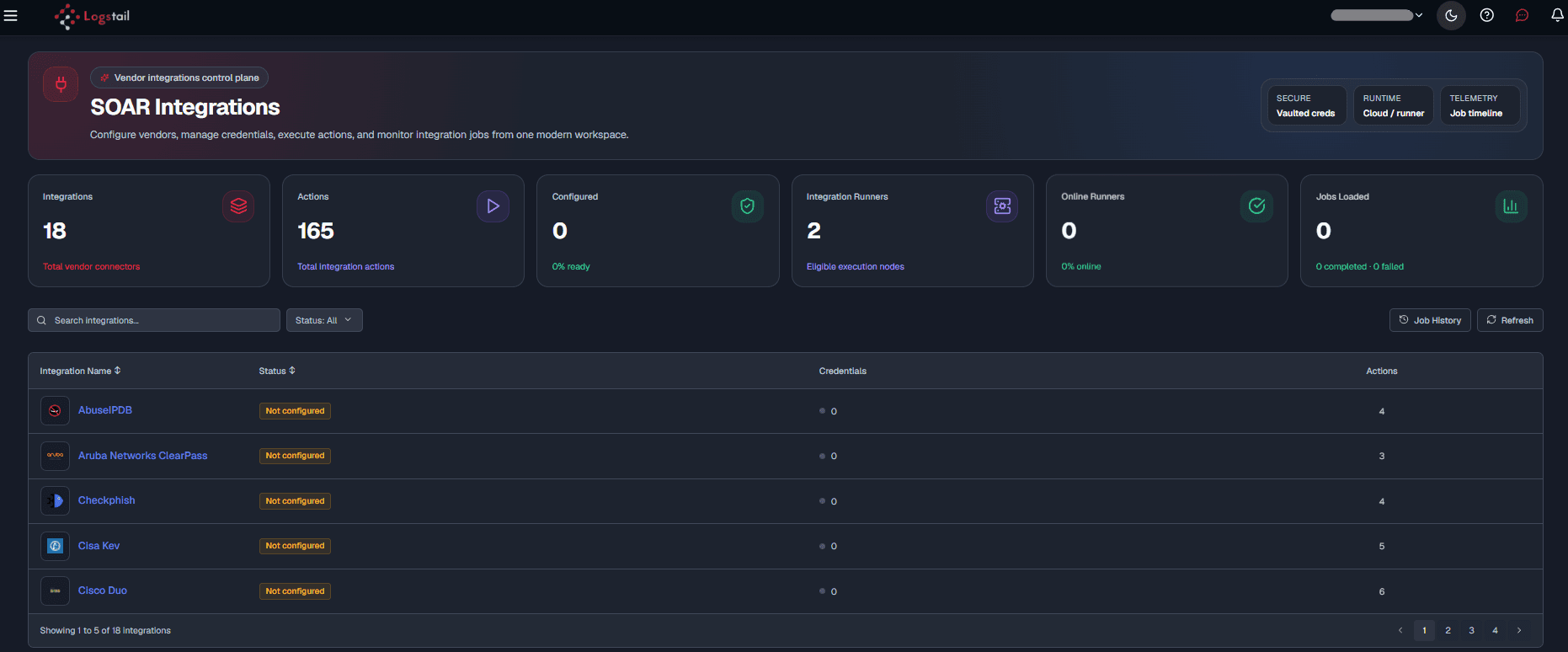
The page includes:
Summary Metrics
These cards provide a quick operational snapshot.
Use these metrics to quickly assess readiness, execution capacity, and activity.
Integration List
The integration list displays available connectors such as firewalls, threat intel tools, and external services.
Operational note
A Configured integration has at least one credential. A Not configured integration requires setup before use.
Finding Integrations
You can quickly locate integrations using built-in tools.
Integration Details
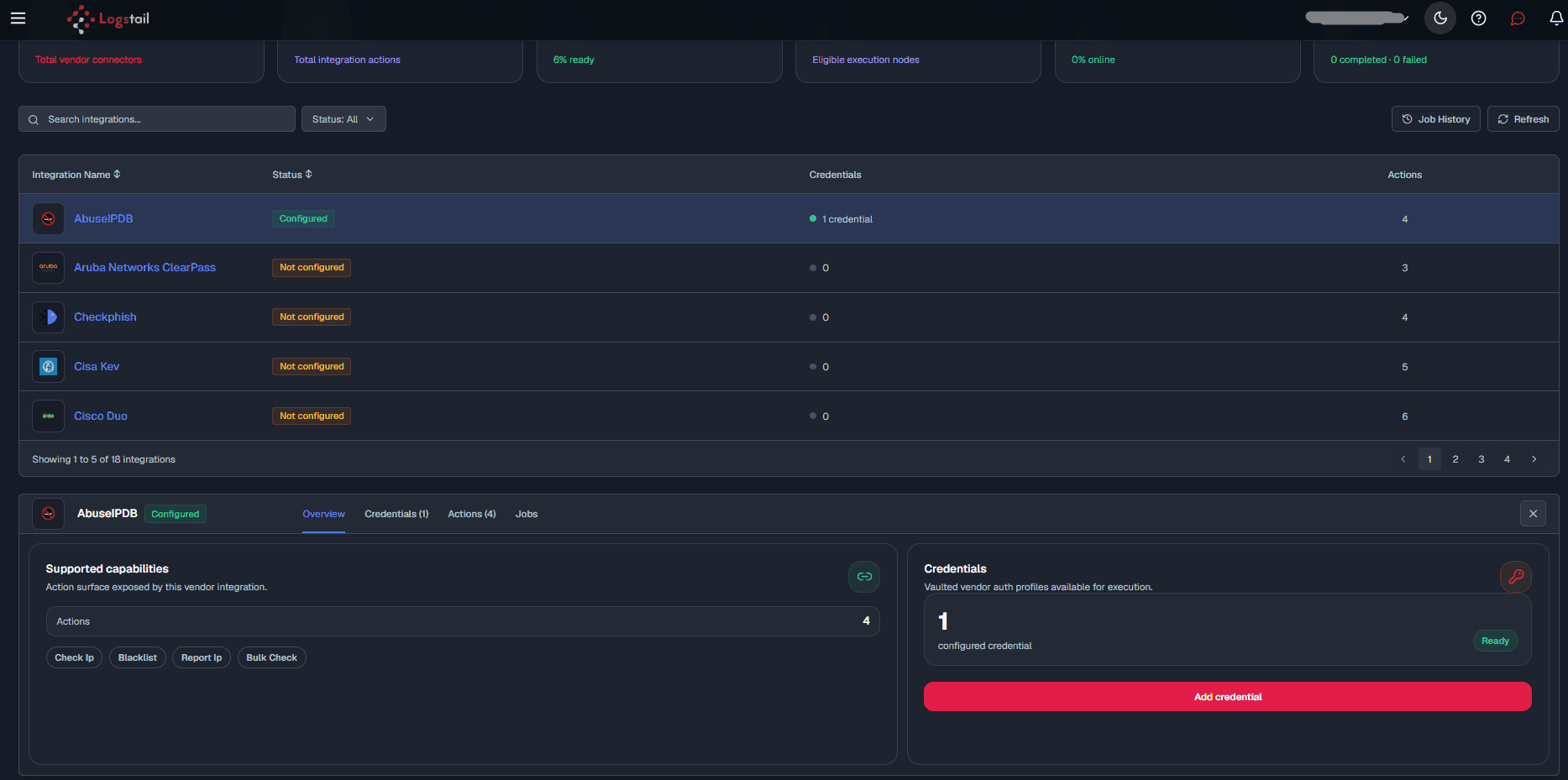
Selecting an integration opens a detail panel with multiple tabs:
Overview Tab
The Overview tab helps validate readiness before running actions.
Credentials Tab
The Credentials tab stores authentication profiles required for integration usage.
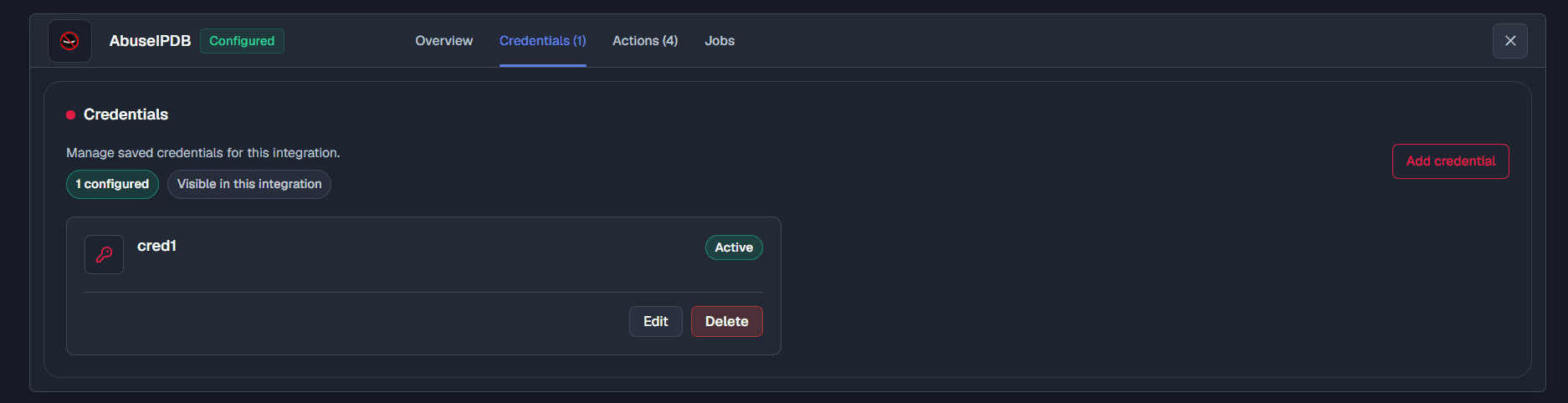
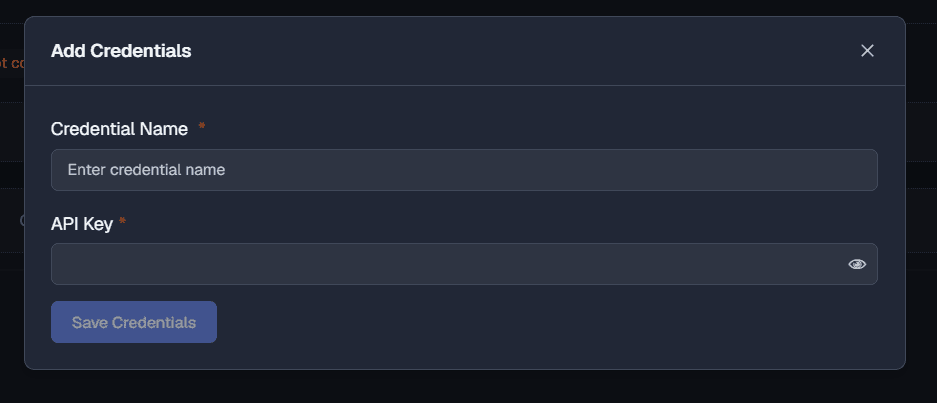
Credentials typically include API keys, credentials, host info, or tokens depending on the integration.
Add a Credential
Credential Security
Credential handling
Integration credentials may provide access to external systems. Use least privilege, rotate secrets regularly, and avoid sharing credential values outside approved operational processes.
Use least privilege
Create credentials with only the permissions needed for the integration actions.
Separate environments
Use different credentials for production, staging, and testing.
Track ownership
Document which team owns each credential and external system.
Actions Tab
The Actions tab lists executable operations such as blocking, enrichment, and data retrieval.

Run an Action
Jobs Tab
The Jobs tab shows execution history for the selected integration.
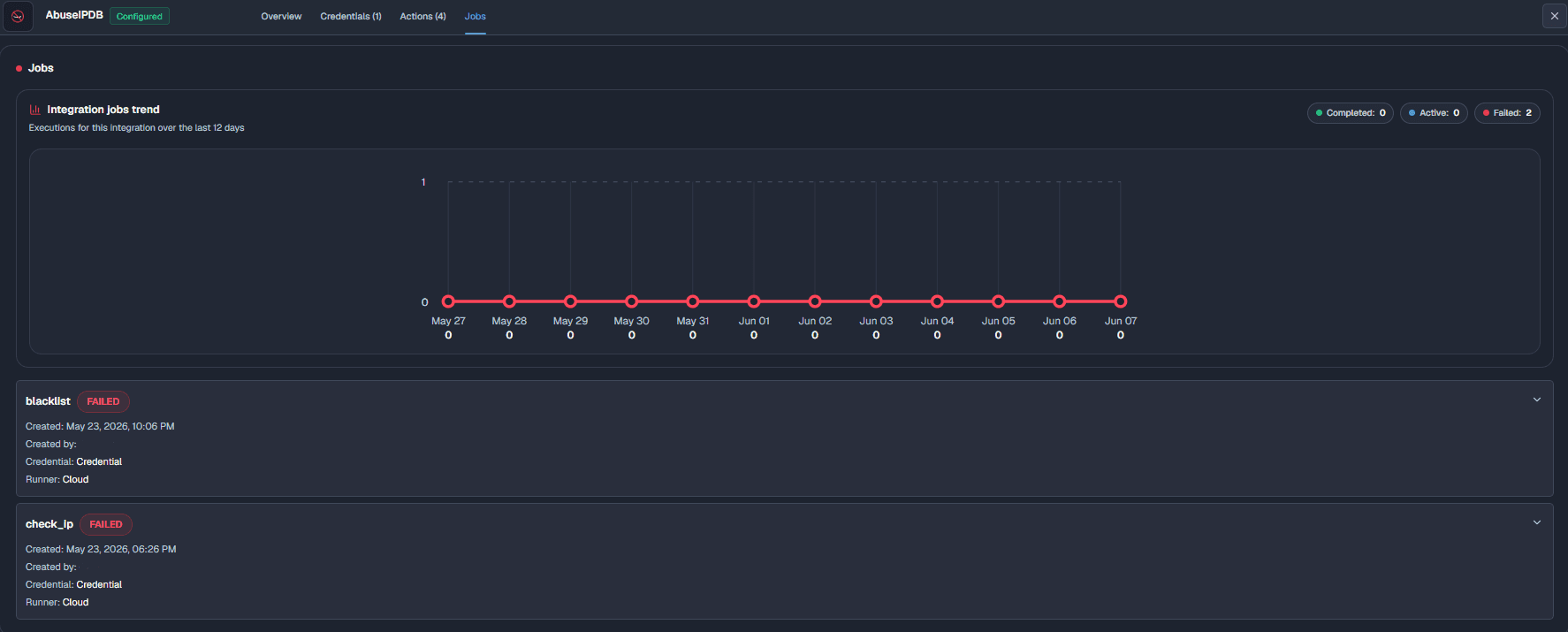
It includes:
Use this tab to validate actions and troubleshoot failures.
Global Job History
Global Job History provides visibility across all integration executions, regardless of which integration started the job.
Use it to:
Audit execution activity
Review who ran an action, when it ran, and which integration was used.
Investigate failures
Check failed jobs to understand credential, runner, network, or parameter issues.
Track response actions
Confirm that enrichment, blocking, notification, or remediation actions completed successfully.
Review runner usage
Check which runner handled the integration job.
Validate automation
Confirm playbook-triggered integration jobs ran as expected.
Support compliance
Use job history as evidence of security operations activity.
Integrations in Playbooks
Integrations can be used inside playbooks to automate workflows.
Typical Workflow
Troubleshooting
Integration is not configured
- 1
Open the integration details panel.
- 2
Go to the Credentials tab.
- 3
Add at least one valid credential.
- 4
Save the credential configuration.
- 5
Confirm the integration status changes to Configured.
Integration action fails
- 1
Check that all required action parameters are complete.
- 2
Verify that the selected credential is valid and not expired.
- 3
Confirm the credential has permission to perform the selected action.
- 4
Confirm an integration runner is online and available.
- 5
Review the Jobs tab for the error message, runner, credential, and execution metadata.
Connectivity issues
- 1
Check the configured host, port, URL, or API endpoint.
- 2
Verify DNS resolution from the runner environment.
- 3
Validate network routing and firewall rules.
- 4
Confirm the external service is reachable and accepting requests.
- 5
Check whether proxies, allowlists, or TLS settings are required.
Credential is rejected
- 1
Confirm the API key, token, username, password, or certificate is correct.
- 2
Check whether the credential has expired or was revoked.
- 3
Confirm the credential belongs to the expected environment.
- 4
Verify the external service account has the required permissions.
Jobs are stuck or delayed
- 1
Confirm at least one runner is online.
- 2
Check runner load and queue status.
- 3
Review whether the external service is slow or unavailable.
- 4
Retry the action after confirming runner and service health.
Best Practices
Use least privilege
Grant only the minimum permissions required for the integration actions.
Rotate secrets
Rotate API keys, tokens, passwords, and certificates on a regular schedule.
Test before production
Validate connectivity and action behavior before using the integration in production playbooks.
Use clear credential names
Name credentials by system, environment, and purpose so analysts choose the correct profile.
Separate environments
Use separate credentials for production, staging, testing, and lab environments.
Review failed jobs
Review failed jobs early to catch expired credentials, runner issues, bad parameters, or service outages.
Document ownership
Track which team owns each integration, credential, and connected external service.
Disable unused integrations
Remove or disable integrations and credentials that are no longer needed.
Audit execution history
Use job history to review who executed actions, when they ran, and whether they succeeded.
Related Pages
Related Pages
| Page | Description |
|---|---|
| Alerts | Review detections and responses. |
| Cases | Manage investigations. |
| Playbooks | Automate workflows. |
| Notification Channels | Configure alert delivery. |