
My Profile
The My Profile page shows Academy users their progress, Academy certificates, community leaderboard ranking, Academy plan, login activity and more.
After enrolling in a course, this page will show users accurately their progress on its course program, and allow them to Download their own personal Academy certificates.
Where to find it
Hands-on practice is available inside Academy courses that include practical exercises.
Navigation path
Application route
/my-profileWhat this page is used for
View profile overview
See your Academy profile, progress, level, rank, and account details.
Track learning progress
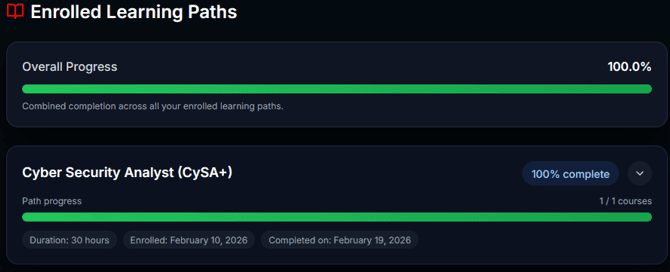
Review enrolled learning paths and course completion status.
Access your certificates
Download earned Academy certificates after completing courses.
Review login activity
Check recent account logins for security and auditing.
Manage subscription
Open subscription settings to cancel or review plan details.
View quiz history
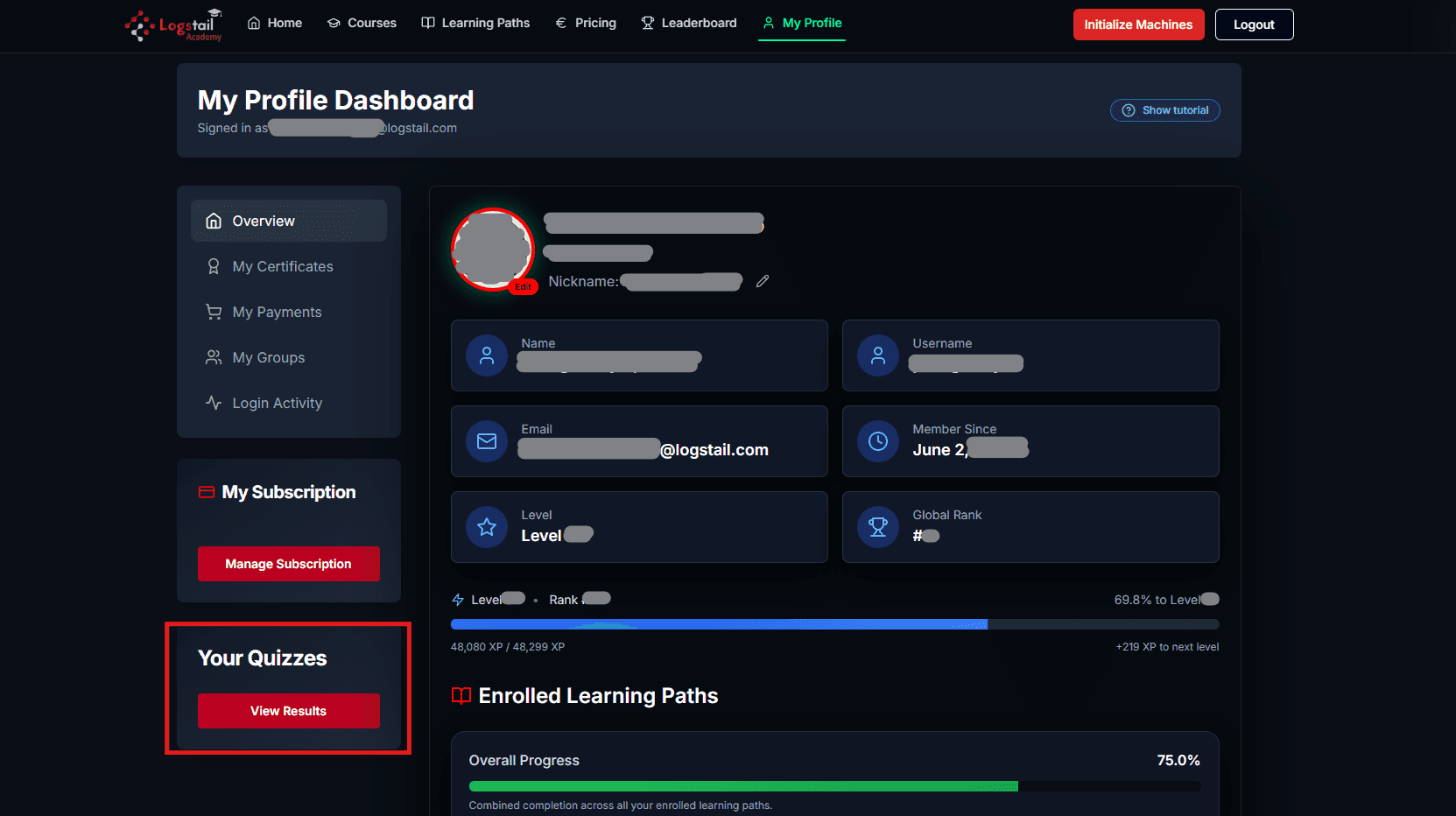
Open your complete audit log of quizzes taken, including failures.
Page Overview
My profile allows users to learn more about their academy profile. And keep track of how competitive they are in the world of knowledge and cybersecurity expertise.
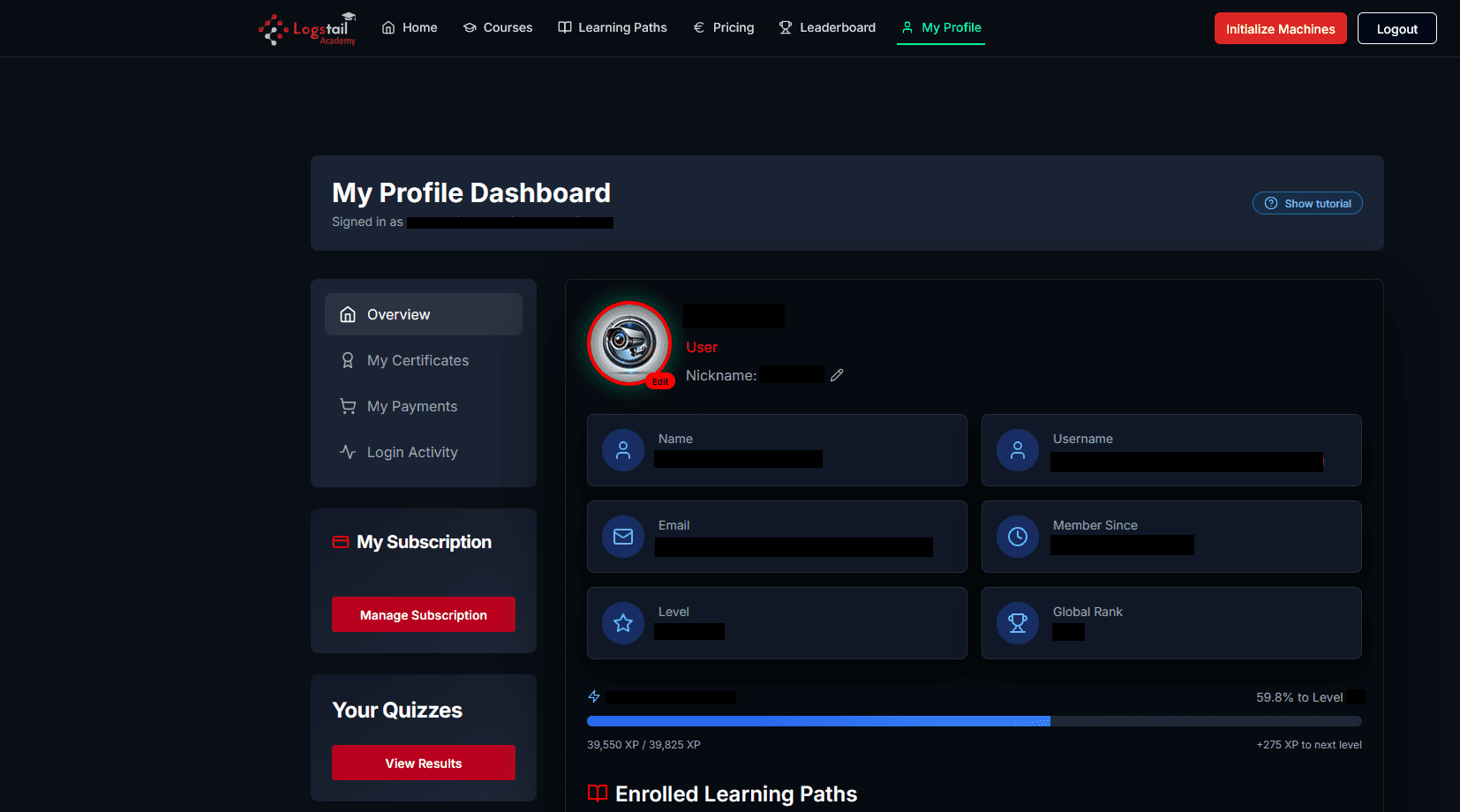
On the top right of the window, there’s a Show tutorial button which elaborates on some of the details of this page.
Profile Information
On this page users are given their basic profile information:
Account experience points
On the bottom of the account information, Academy courses provide users with Experience (XP) bars. An XP bar will level up one’s profile and give them the ability to compete in the leaderboards against other learners in a live ranking environment. It shows the exact amount of XP points required for a level up at all times.
Learning progress
On the bottom of the page, users have access to a list of every path they’ve enrolled in and their current progress. Every path has a description of its estimated copmletion time, as well as enrollment and completion dates for that particular profile.
Profile Quizzes
On the bottom left of one’s profile there is a button to show the complete audit log of all of their quizzes taken.
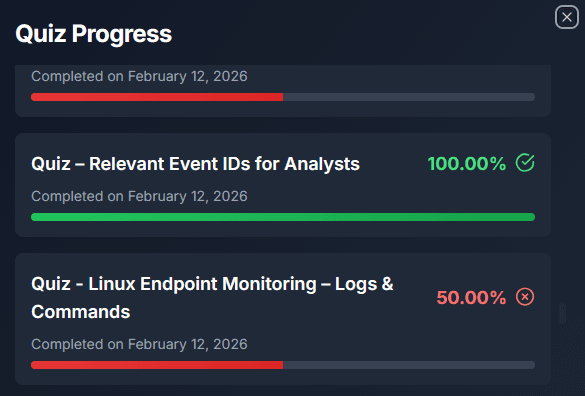
By pressing it, a list of every quiz that the user has completed will open. The quizzes are in chronological order and include past failed results.
Users are able to see what score they have achieved during each quiz completion and when.
Profile Certificates
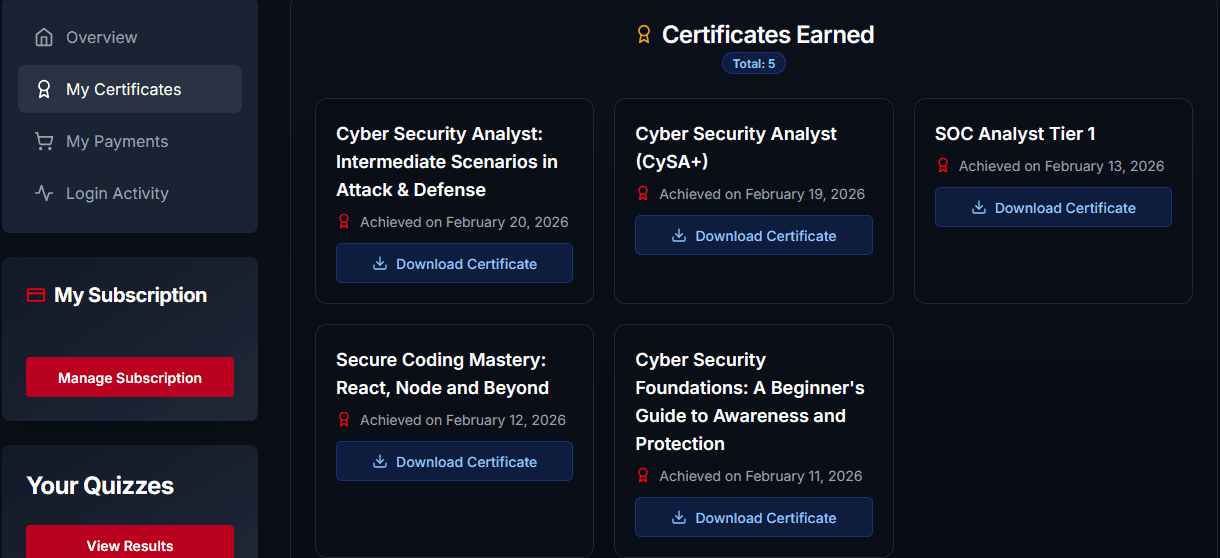
Users can find their certificates and download them using the My Certificates button on the left navigation window.
Login activity
Users can observe the past logon activity of their account. By Clicking on the Login Activity button of the center-left window.
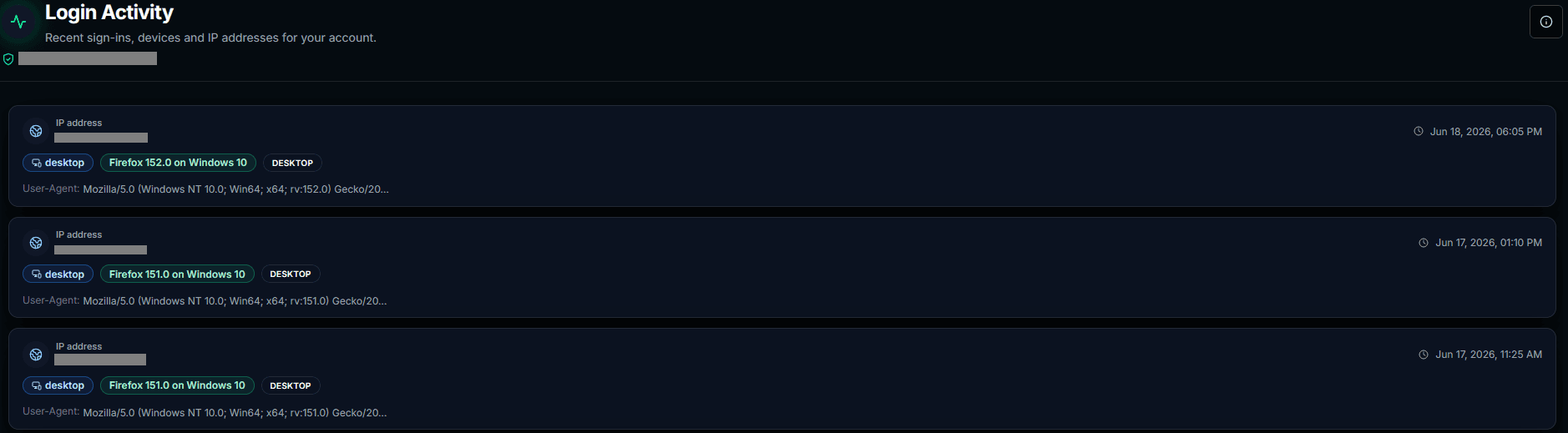
This informs users of personal details regarding the identity that created their account traffic. The details regard their:
Subscription Plan
There are two sections in the My Profile page regarding their subscription plan.
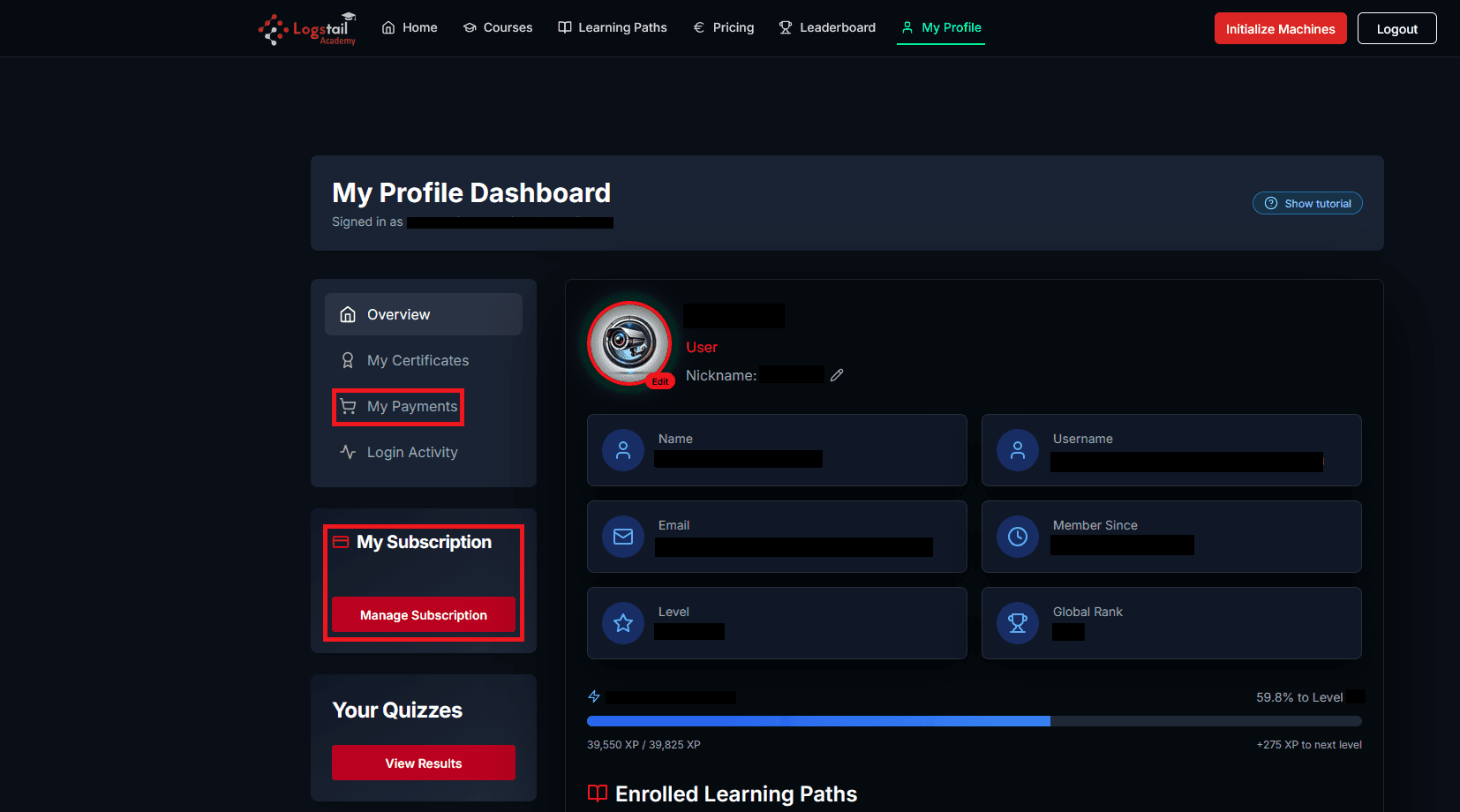
The My Activity page will open a small window with an audit history of past payments.
Manage Subscription
Users can manage their subscription, through the My Subscription button:
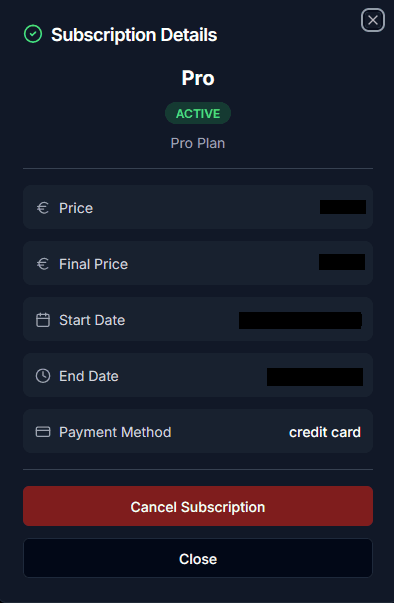
This window provides date and price info of your current plan along with two buttons:
Best Practices
Keep profile details up to date
Ensure your nickname, name, and email remain accurate so certificates, rankings, and course progress display correctly.
Monitor your learning progress
Regularly review enrolled paths, completion percentages, and estimated time to finish each program.
Review login activity
Check recent logins, device types, and IP addresses to ensure your account is secure and only accessed by you.
Use quiz history for improvement
Review your quiz audit log to understand past attempts, failed results, and areas that may need more study.
Explore hands‑on practice
If your courses include labs, use the My Profile page to quickly access practical exercises and VM environments.
Related Pages
Related Pages
| Topic | Description |
|---|---|
| Academy Home Page | After enrolling in a Learning Path, users can access all included courses. Completing the path requires finishing every required course. |
| Learning Paths | After enrolling in a Learning Path, users can access all included courses. Completing the path requires finishing every required course. |
| Courses & Quizzes | Explains how Academy courses, lessons, quizzes, completion, and progress tracking work. |