Discover
The Discover page is the main analytics workspace for searching, filtering, and investigating indexed Logstail event data. It helps analysts inspect raw security telemetry, validate detections, pivot during investigations, and explore logs collected from endpoints, agents, and collectors.
Where to find it
Open the Discover page to search, filter, and investigate raw event data.
Navigation path
Application route
/discoverWhat this page is used for
Use Discover to:
Search logs
Query indexed log and event data.
Investigate activity
Analyze suspicious events.
Filter results
Filter by host, user, IP, process, or timestamp.
Add fields
Customize the result table with relevant fields.
Review raw events
Examine raw logs during triage.
Validate telemetry
Ensure agents and collectors send data.
Build searches
Create searches for dashboards and reports.
Main View
Discover opens as a full-page embedded analytics experience. The embedded interface provides the search and event exploration workflow.
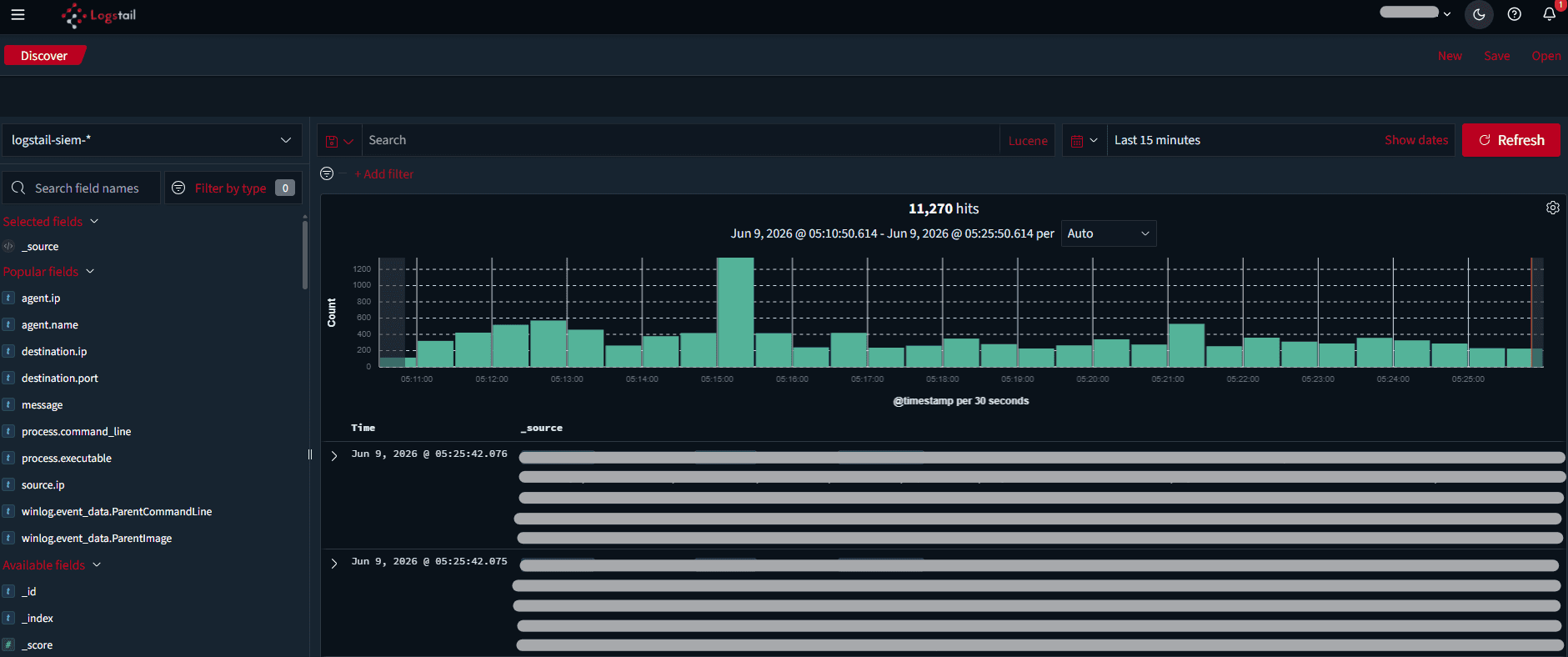
The Logstail navigation exposes Discover as the place to explore indexed log and event data.
Selecting the Correct Index Pattern
Before searching data, select the correct index pattern. Index patterns define which event indexes the search applies to.
For SIEM and security monitoring, use: logstail-siem-*
The wildcard allows the platform to search across SIEM-related indexes, including current and historical data.
This index pattern can provide visibility into:
If the wrong index pattern is selected, Discover will look empty even when logs are being collected.
Basic Search Workflow
Example Investigation Workflow
Querying with Lucene
Lucene queries use field-value matching. A basic query uses a field name, a colon, and a value.
Example
agent.name:“DEMOPC2”
Use AND when both conditions must be true:
agent.name:“DEMOPC2” AND agent.ip:1.1.1.1 (your agent’s ip)
Use ranges when filtering values such as IP ranges:
agent.name:“DEMOPC2” AND agent.ip:[172.16.0.0 TO 172.16.255.255]
Use wildcard characters when searching for similar values:
agent.name:DEMOPC2? AND agent.ip:[172.16.0.0 TO 172.16.255.255]
Or a query for Onion online routing:
dns.question.name:*.onion*
Useful Fields for Security Investigations
Common fields to add during triage include:
The exact available fields depend on the data source and selected index pattern.
Time Range
Always check the selected time range before assuming data is missing. If the time range is too narrow, valid events may not appear.
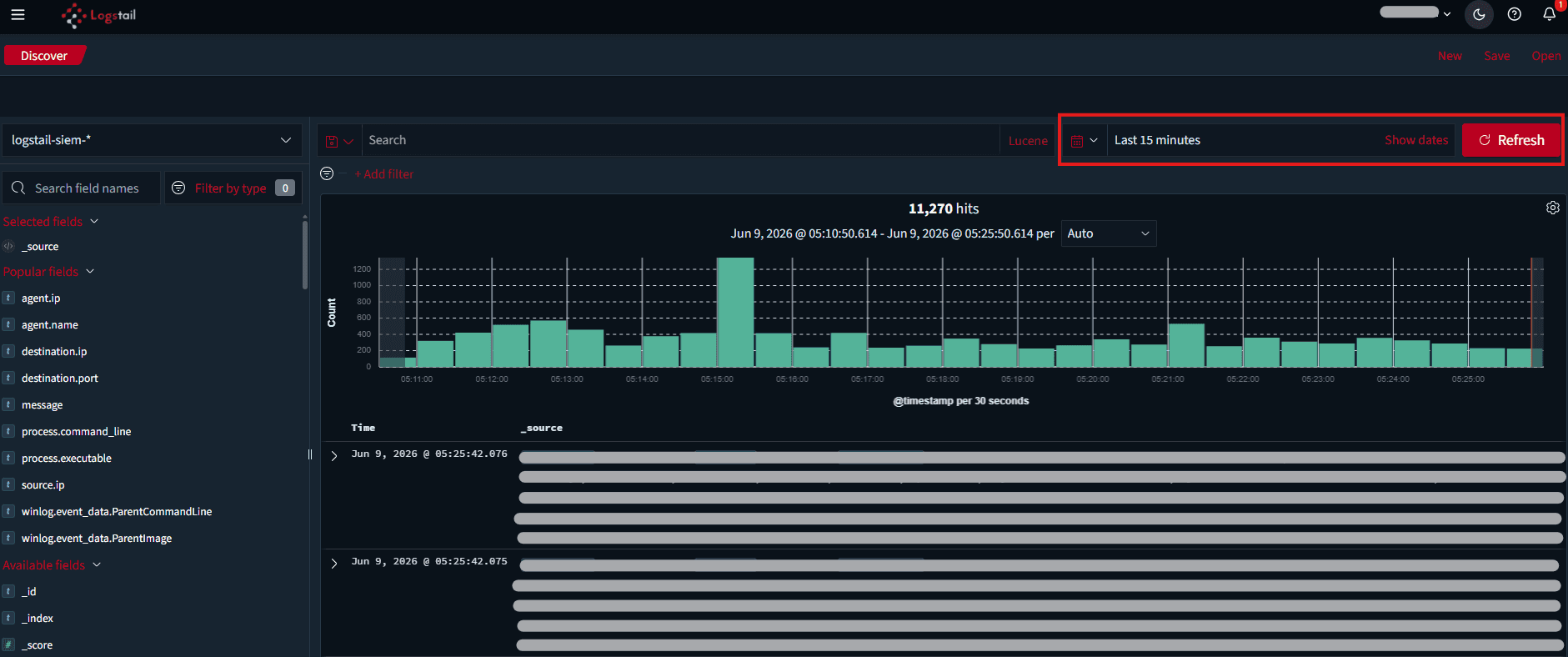
Use a narrow time range for targeted investigation and a wider time range for hunting or validation.
Operational Use Cases
Discover is useful for:
Troubleshooting
No results are shown
- 1
Check the index pattern, time range, and query syntax.
- 2
Confirm that agents or collectors are sending data.
Query returns too much data
- 1
Add more specific fields.
- 2
Reduce the time window.
- 3
Filter by host, user, source IP, destination IP, or event category.
Query does not match expected values
- 1
Confirm the field name exists in the selected index pattern.
- 2
Expand a sample event and copy the exact field name.
Best Practices
Start broad
Start broad, then add filters.
Validate time range
Always validate the time range.
Use SIEM index
Use logstail-siem-* for SIEM investigations.
Limit fields
Add only the fields needed for the current investigation.
Save searches
Save useful searches when the workflow needs to be repeated.
Validate evidence
Use Discover to validate raw evidence before escalating or closing an investigation.
Related Pages
| Page | Description |
|---|---|
| Dashboards | Review Discover data through visual dashboards and monitor trends over time. |
| Visualizations | Create visual panels from validated searches and fields. |
| Saved Objects | Manage saved searches, dashboards, visualizations, and reusable analytics objects. |
| Reports | Generate reports from saved searches, dashboards, or investigation views. |
| Logstail Agent | Install and configure endpoint collection so Discover has logs, metrics, and SIEM telemetry to search. |
| Pre-Built Dashboards | Add ready-made dashboards after confirming data is available in Discover. |
| Alerts | Review alerts and pivot back into Discover for raw event validation. |
| Monitors | Create detection rules after validating useful search logic in Discover. |