Windows Agent
Use the Windows agent to monitor Windows endpoints and collect Windows logs, metrics, network data, and SIEM telemetry.
Run with administrator privileges
Run the Logstail Agent installer or executable with administrator rights.
Administrator privileges are required when:
Configure the Windows agent
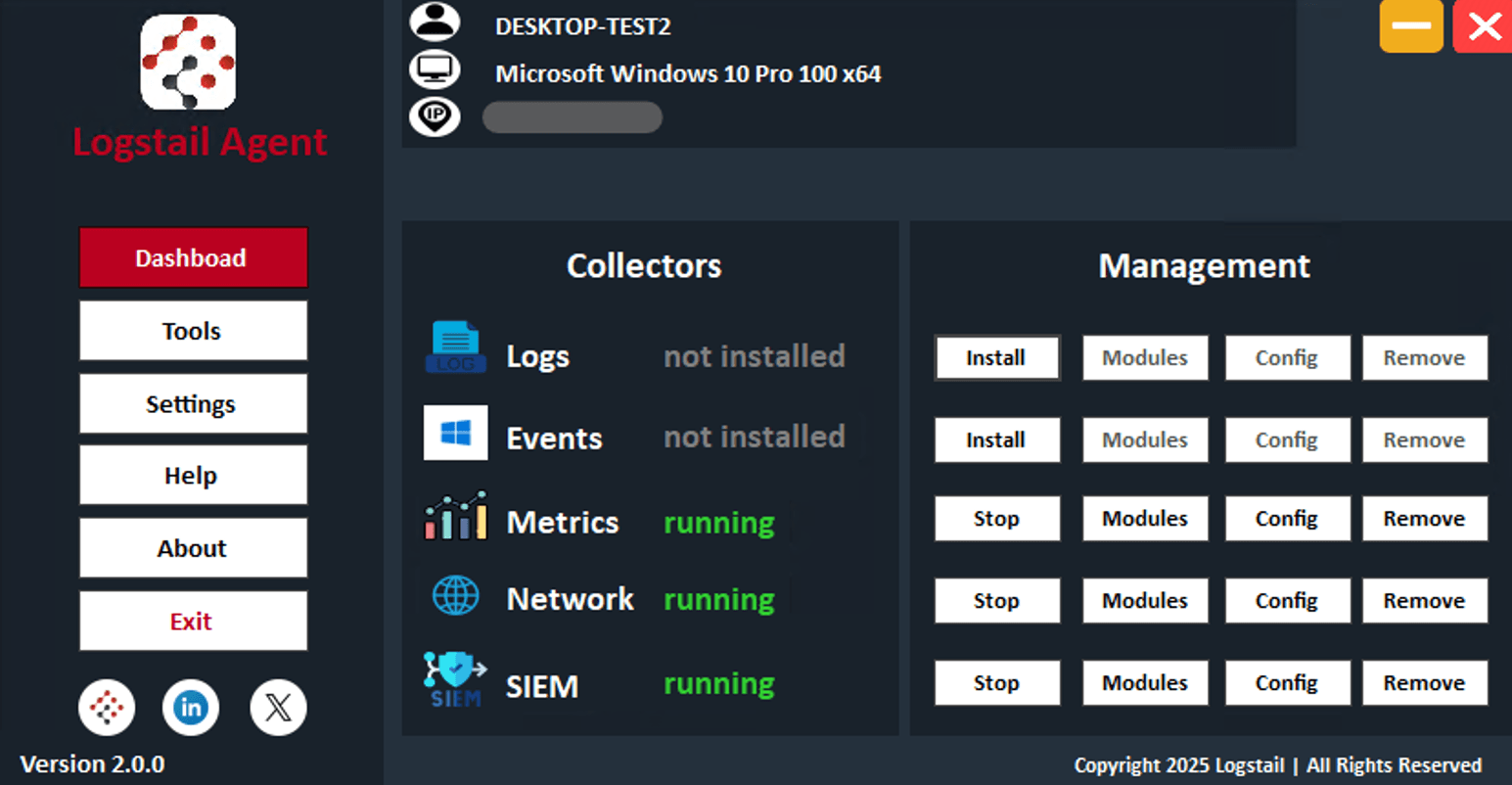
After installing the Windows agent:
The Logstail Token connects the endpoint to the Logstail platform.
The SIEM Enterprise Key is required for SIEM-related functionality. If you do not have this key, contact Logstail Support.
Install Windows Collectors
Collectors define what type of data is collected from the endpoint.
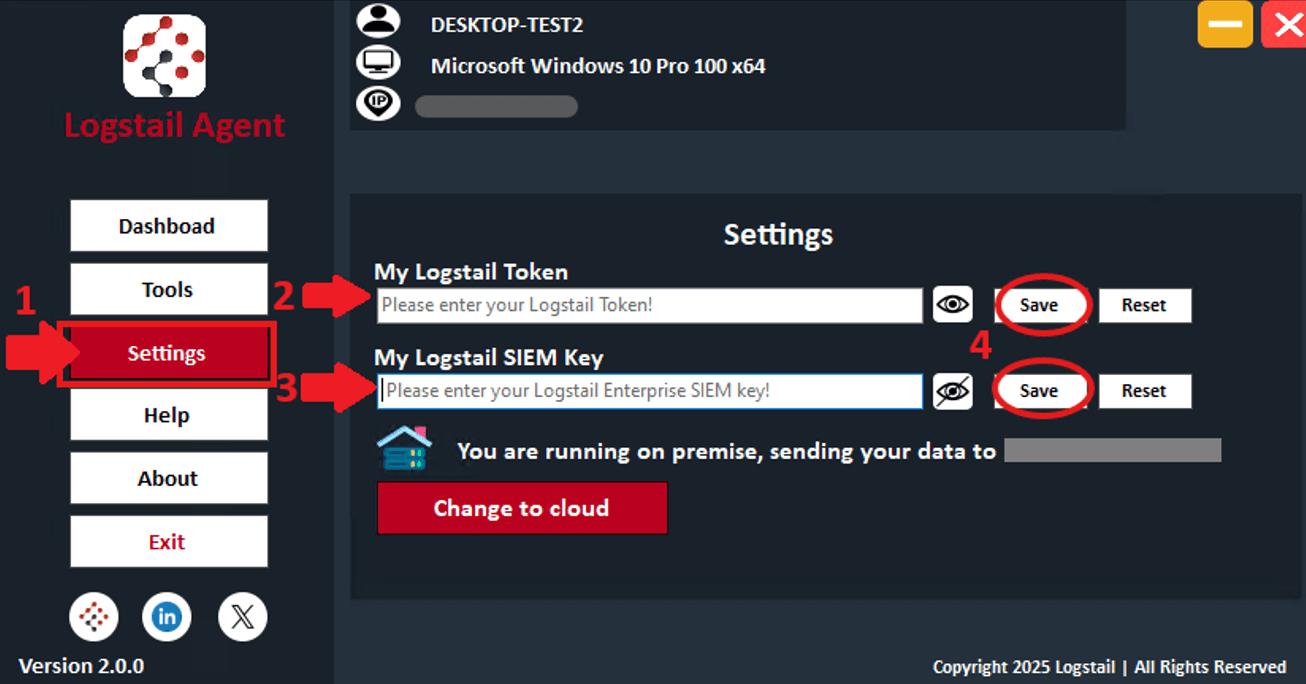
Collector actions include:
Install
Install the collector when it has not been installed yet.
Start
Launch the collector after it has been installed.
Stop
Stop data collection for the selected collector.
Remove
Uninstall the selected collector.
Modules
Open the modules available for the selected collector.
Status monitoring
Displays states such as Not Found, Running, or Stopped.
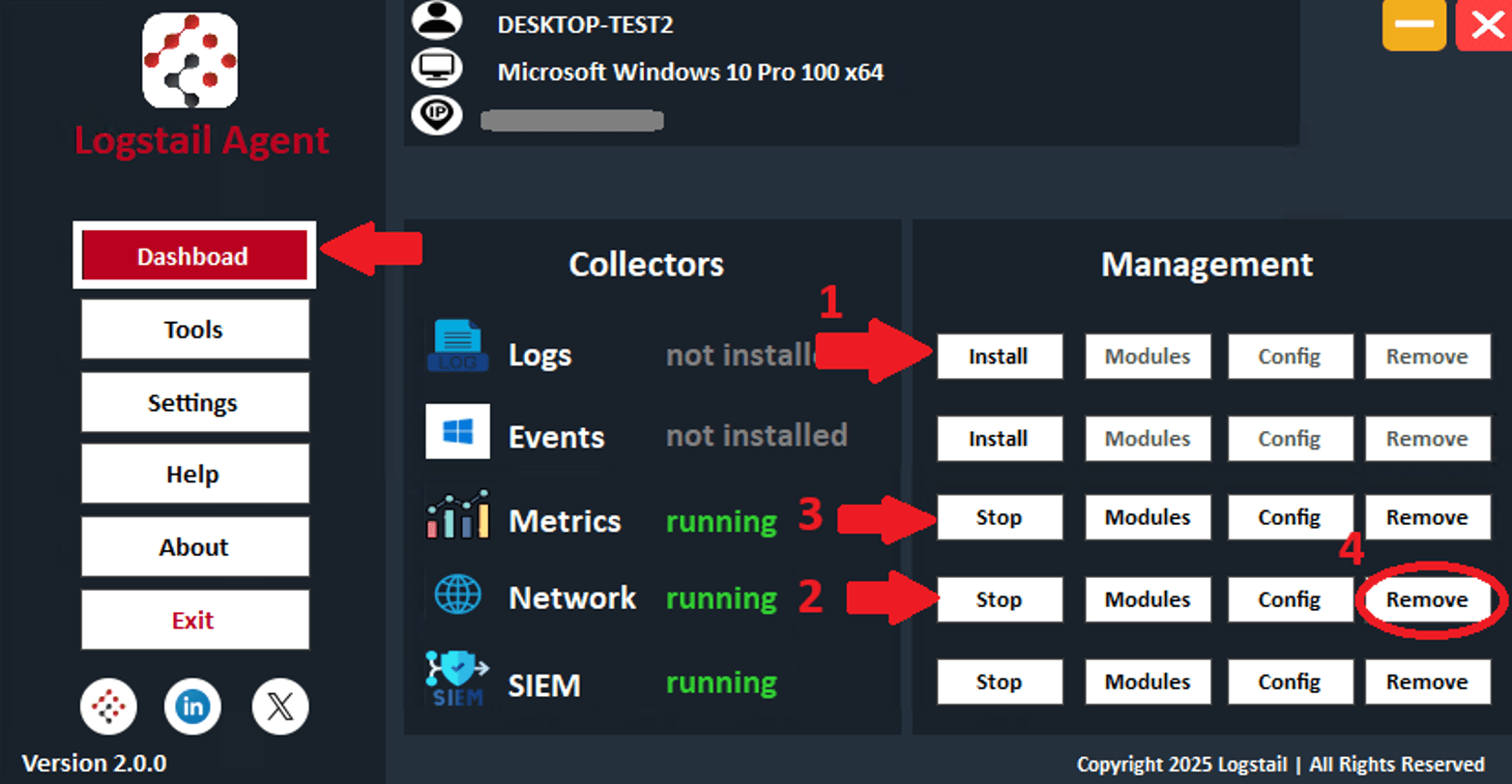
Recommended Windows Collectors
Events Collector
Collects Windows Event Logs and forwards them to Logstail. Use this collector when you want to analyze Windows events in Analytics, dashboards, reports, or SOAR workflows.
Metrics Collector
Collects system and service metrics from the endpoint. Use this collector to monitor endpoint health, performance, and infrastructure behavior.
After installing the Metrics Collector:
Network Collector
Captures network traffic and extracts useful metadata from protocols such as HTTP, DNS, and TCP. Use this collector for endpoint network visibility, troubleshooting, and security investigations.
SIEM Collector
Supports real-time threat detection, log analysis, and incident response workflows. Use this collector when the endpoint should send SIEM telemetry to Logstail.
Windows Modules
Modules extend collectors by enabling specific integrations or data sources.
Examples of modules include:
To enable a module:
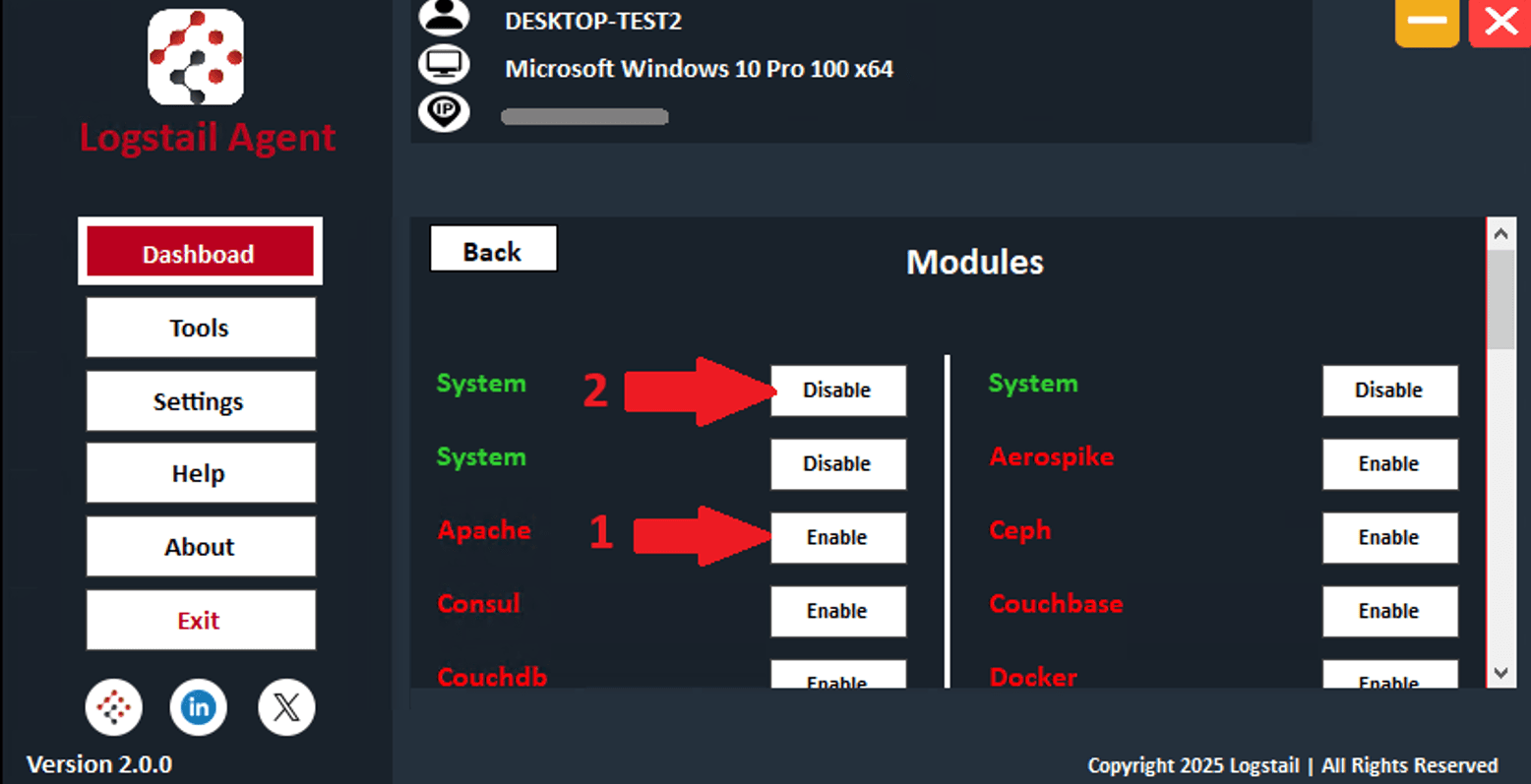
Some modules may require extra settings, such as:
Operational note
Module credentials are used locally by the collector to access approved data sources. Keep these credentials protected.
Apply Windows Configuration Changes
After enabling modules or changing collector configuration, restart the affected collector.
Related Pages
| Page | Description |
|---|---|
| Agents | Confirm that the Windows endpoint appears in the agent inventory and check agent health, status, version, and last seen time. |
| Discover | Validate that Windows logs, metrics, network data, and SIEM telemetry are arriving. |
| Dashboards | Review collected Windows data through visual dashboards. |
| Pre-Built Dashboards | Add dashboards related to Windows Events, Metrics, Network, SIEM, or other installed modules. |
| Alerts | Review alerts generated from Windows telemetry and SIEM detections. |
| Cases | Group related Windows alerts into investigation cases. |
| Monitors | Create detection rules that evaluate Windows data and generate alerts. |
| Playbooks | Automate response actions for Windows-related alerts and incidents. |